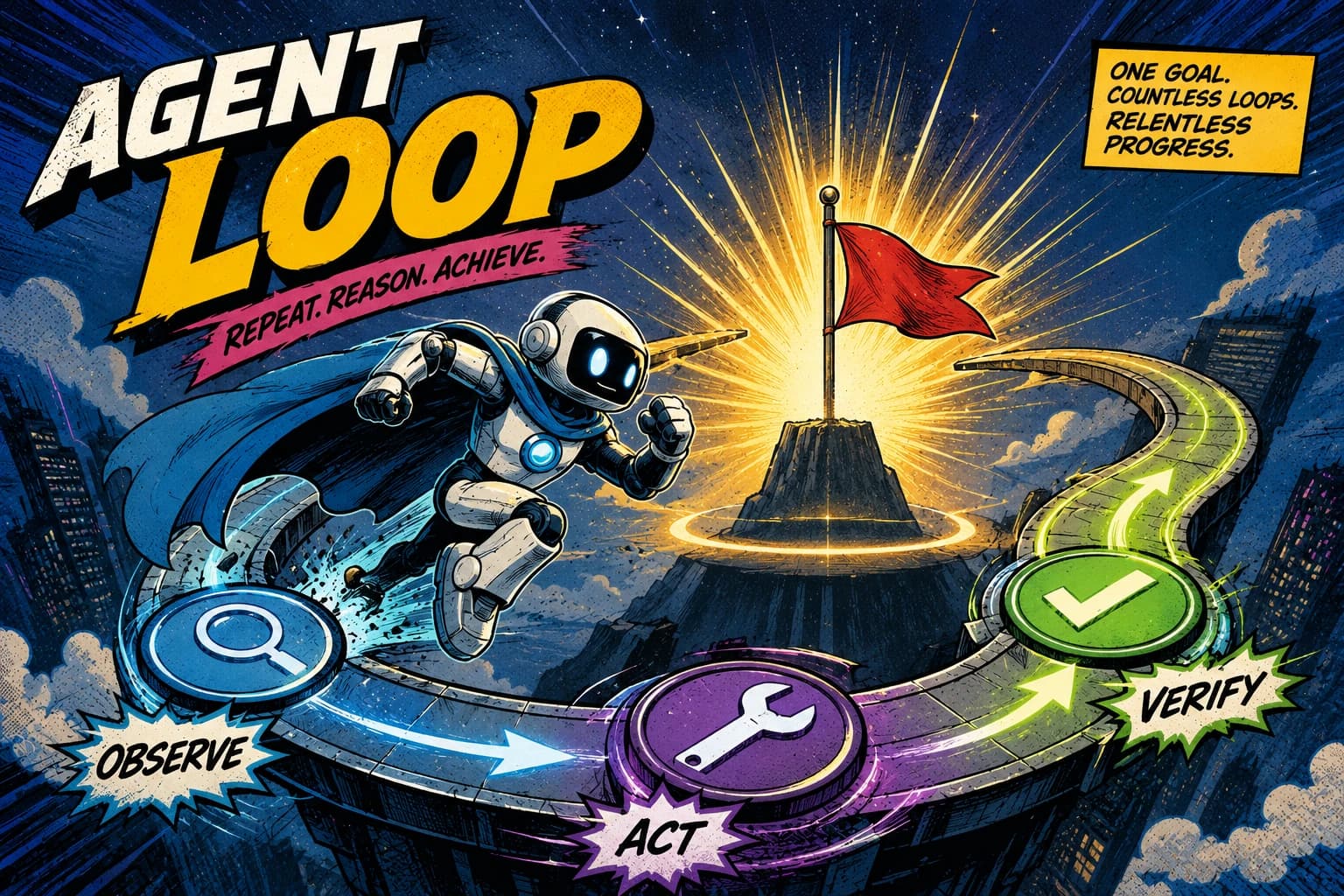
For two years the craft of building with LLMs was prompt engineering: find the magic wording, get the magic answer. That's no longer where the hard part is. The teams shipping real AI products have shifted from writing prompts to writing loops, a way of working some have started calling loop engineering. Instead of prompting the agent yourself, you build a system that prompts it for you. You hand it one goal, and the loop drives it the rest of the way.
A Claude agentic loop is that cycle. The model sets a goal, takes an action, sees the result, learns from it, and goes again.
The clearest place to see it is the one where the pattern grew up: a coding agent fixing a failing test suite. It doesn't know the fix in advance. It reads the first failure, forms a hypothesis, edits the code, re-runs the tests, reads what's now failing, and goes again, until everything is green. Nobody scripted those steps, because each one depends on what the last test run revealed. That's a loop, and the model has to be inside it.
This is also the example that shows the loop at its most honest, because the feedback is exact. A test either passes or it doesn't, and a failure comes with a stack trace that says precisely what went wrong. That makes it the perfect lens for the one idea this article cares about most: a loop is only as good as the signal it gets back. We'll build a test-fixing agent on the raw @anthropic-ai/sdk and watch that signal drive every decision. The same shape applies to a support agent clearing a ticket queue or a growth agent optimizing posts, but here the goal is unambiguous and the evaluation is free, so the mechanics have nowhere to hide.
We'll talk through how to build it rather than ship a full harness, since a production version needs sandboxing, a real test runner, and version control around every edit. Where it counts, though, the code is real and run against the live Claude API, and we show the actual output it returns.
Prompt engineering vs loop engineering: why the loop is the unit
A prompt is a single round trip: text in, text out. That's fine for "summarize this email." It falls apart the moment the task depends on information the model doesn't have yet, or on the result of an action it hasn't taken.
Think about fixing a bug. You don't know the fix in advance. You run the tests, read the first failure, change something, run them again, see a different failure, and narrow in. Each move depends on what the last one revealed. No single prompt can express that, because the second change depends on the first test run. That's a loop, and the model has to be inside it.
Loop engineering is the shift from "what do I ask?" to "what cycle does the model run, what can it act on, and how does it know when it's done?" Get the cycle right and the model handles tasks you could never script in advance.
Building something agentic for your product and want it done right? Get in touch. We build production Claude systems for a living.
How a Claude agentic loop works, one turn at a time
Strip away the SDK and an agentic loop is the same five-beat cycle every turn:
- Goal: what the agent is trying to achieve, and a concrete condition for when it's done. It stays fixed while the means change. For us: every test passes.
- Action: the model decides what to do and calls a tool to do it. For us: edit a file, or run the test suite.
- Evaluation: the tool returns a result, and the agent judges what it means. The suite went from 5 failures to 2, but a new one appeared in a file it just touched. This is the beat that makes the loop intelligent rather than just repetitive, and it gets its own section below.
- Learning: the evaluated result goes back into the conversation, so the next decision is informed by what just happened. "The null check fixed the parse error but broke a boundary case" becomes part of what the agent knows.
- System update: the action changed the world outside the conversation, not just the agent's knowledge. A file on disk is now different, the next test run executes the new code. This is the beat that makes a loop consequential rather than a chatbot thinking out loud: the next turn runs against a world the last turn altered, so the agent can't just reason its way forward, it has to re-run the tests to see what's now true.
Then the cycle repeats, and the updated state feeds back into how the agent pursues the goal. It keeps turning until the goal is met or a stop condition fires. Two of these beats carry most of the weight, and they're the two people who build loops talk about most: evaluation (without it the loop is blind) and the stop condition (without it the loop never ends). We'll give each its own treatment. Everything else below is this cycle expressed in code.
Our example: an agent that fixes a failing test suite
To make the loop concrete, our agent has one job: take a project whose tests are failing and get them all to pass. It's the cleanest possible loop. The work is genuinely open-ended (the agent doesn't know what's broken or how to fix it), it has a hard finish line (the test suite is green), and every test run teaches it something for the next edit. The same shape would drive a support agent or a growth agent, but here the goal is unambiguous and the feedback is exact, so nothing is hand-waved.
The goal lives in two places: the system prompt (the standing objective and the stop condition) and the first user message (the kickoff). Notice the goal isn't fuzzy like "improve the code." It's a binary, checkable state: every test passes.
import Anthropic from "@anthropic-ai/sdk";

const client = new Anthropic();

const SYSTEM_PROMPT = `You are a debugging agent. Your goal is to make the project's
test suite pass. Each cycle: run the tests, read the failures, form a hypothesis about
the cause, edit the code to fix it, and run the tests again. Change one thing at a time
so you can tell what worked. When every test passes, report what you fixed and stop.`;

const initialMessages: Anthropic.MessageParam[] = [
  {
    role: "user",
    content: "The test suite is failing. Find the cause and fix it. Run the tests first.",
  },
];
That's the goal, and crucially it carries its own stop condition. The agent holds it constant; the loop is how it works toward it, and "all tests pass" is how it knows when to quit.
This system prompt is deliberately short so the running example stays readable. A real agent's context is a much bigger deal than a paragraph, and getting it right is most of what separates an agent that compounds from one that flails. We'll build the loop with this lean version first, then come back and show what a production-grade context looks like once the mechanics are clear.
The action: defining tools
An action is a tool call, so the agent can only act in ways you've given it tools for. Each tool is a name, a description Claude uses to decide when to reach for it, and a JSON Schema for its inputs.
const tools: Anthropic.Tool[] = [
  {
    name: "run_tests",
    description: "Run the project's test suite and return the results. Call this first each cycle to see what's failing before changing anything.",
    input_schema: { type: "object", properties: {}, required: [] },
  },
  {
    name: "read_file",
    description: "Read a source file so you can understand the code before editing it.",
    input_schema: {
      type: "object",
      properties: {
        path: { type: "string", description: "Path to the file, e.g. src/parse.ts" },
      },
      required: ["path"],
    },
  },
  {
    name: "edit_file",
    description: "Replace an exact string in a file with new content. Make one focused change at a time so you can tell from the next test run whether it worked.",
    input_schema: {
      type: "object",
      properties: {
        path: { type: "string", description: "Path to the file to edit" },
        old_str: { type: "string", description: "The exact text to replace" },
        new_str: { type: "string", description: "The text to replace it with" },
      },
      required: ["path", "old_str", "new_str"],
    },
  },
];
The descriptions matter more than they look. They're how the model decides which action to take, so "call this first each cycle to see what's failing" is steering the loop, not just documenting the tool. It tells the model to evaluate before it acts.
You also control how freely the model acts with tool_choice: { type: "auto" } (the default, model decides), { type: "any" } (must call some tool), { type: "tool", name: "..." } (must call that one), or { type: "none" }. For an open-ended debugging loop, leave it on auto so the model chooses when to run tests, when to read a file, and when to edit.
The loop: action, evaluation, learning, repeat
Here is the whole cycle as a manual loop. Read it once, then we'll go through it line by line.
async function runAgent(): Promise<void> {
  const messages: Anthropic.MessageParam[] = [...initialMessages];
  const MAX_TURNS = 30;

  for (let turn = 0; turn < MAX_TURNS; turn++) {
    // No try/catch here, to keep the example focused on the loop itself.
    const response = await client.messages.create({
      model: "claude-opus-4-8",
      max_tokens: 16000,
      thinking: { type: "adaptive" },
      output_config: { effort: "high" },
      system: SYSTEM_PROMPT,
      tools,
      messages,
    });

    // The model judged the goal met (all tests pass) and answered in text.
    if (response.stop_reason === "end_turn") {
      const summary = response.content.find((block) => block.type === "text");
      console.log(summary?.text ?? "Agent finished with no message.");
      return;
    }

    // Learning: the assistant turn (including its tool_use blocks) must go
    // back into the history before we add the results.
    messages.push({ role: "assistant", content: response.content });

    // Action -> Evaluation: run each requested tool, collect the results.
    const toolUses = response.content.filter(
      (block): block is Anthropic.ToolUseBlock => block.type === "tool_use",
    );

    const toolResults: Anthropic.ToolResultBlockParam[] = await Promise.all(
      toolUses.map(async (toolUse) => {
        try {
          return {
            type: "tool_result" as const,
            tool_use_id: toolUse.id,
            content: await executeTool(toolUse.name, toolUse.input),
          };
        } catch (error) {
          // A failed tool comes back as a result with is_error, not a thrown
          // exception. The model reads it and adapts instead of the loop dying.
          const message = error instanceof Error ? error.message : String(error);
          return {
            type: "tool_result" as const,
            tool_use_id: toolUse.id,
            content: `Tool failed: ${message}`,
            is_error: true,
          };
        }
      }),
    );

    // Learning + system update fed back: the results become the next user turn.
    messages.push({ role: "user", content: toolResults });
  }

  console.log(`Stopped after ${MAX_TURNS} turns without hitting the goal. Handing back to a human.`);
}
Here's how each step of the cycle maps to the code:
- Action.
messages.createreturns; ifstop_reasonistool_use, the response carries one or moretool_useblocks, the model's chosen moves (run the tests, read a file, or edit one). - Evaluation. We run each tool with
executeTooland capture its output. Atool_resultblock carries that output back, tagged with thetool_use_idit answers. The test results that come back here are what the next edit is reasoned from. - Learning. Both the assistant's turn and the tool results get appended to
messages. On the next iteration the model sees what it changed and what the tests then did, so its next edit is informed by the last one. - System update. Whatever
edit_fileactually did to the world happened insideexecuteTool: a file on disk is now different. The loop doesn't model that separately; it shows up as the test output the model evaluates next turn.
Two rules in that code are load-bearing, and getting either wrong breaks the loop quietly:
Append the entire response.content, not just the text. The assistant turn contains the tool_use blocks, and the API requires every tool_use to be matched by a tool_result in the following turn. Strip the content down to a string and the next request is malformed.
Every tool_result must carry the matching tool_use_id. That ID is how Claude pairs your result with the call it made. If the model fired three tools in one turn, you return three results, each tagged, and you send them all in a single user turn, not three separate ones.
Evaluation: the beat that decides everything
If you take one thing from this article, take this: the quality of your loop is capped by the quality of its evaluation. Everything else is plumbing. The model can only get smarter each turn if the result you hand back actually tells it something. Strip evaluation out and you don't have an agent, you have a for loop that calls the same tool over and over.
Evaluation is two things happening together. Your code runs the action and returns a result (the test output). The model then judges what that result means for the goal. Both halves have to be good. A rich result the model ignores is wasted; a model paying close attention to a result that says nothing is starved. Here's why it's the beat people single out:
- It's the source of the agent's intelligence. "3 of 5 tests now pass; the remaining failure is a
TypeErroron line 42" is what lets the next edit be better than the last. No evaluation, no improvement, just repetition. - It's where real loops fail. A test tool that returns only
"failed"tells the model nothing, so it can't course-correct and either flails or loops forever. Return the full output: which tests failed, the assertions, the stack traces. Most "my agent is dumb" problems are really "my feedback is thin" problems. - It's the part you most control. You can't change how Claude reasons, but you fully control what you feed back. Returning more signal (the exact failures, not just a count) is the highest-leverage change you can make to an agent.
The executeTool function is where the code half of evaluation lives. Here it returns the test output the model reasons from. The tools are stubbed, since the real ones would shell out to a test runner and the filesystem.
async function executeTool(name: string, input: unknown): Promise<string> {
  switch (name) {
    case "run_tests": {
      // Return the FULL output, not just pass/fail. The failures and stack
      // traces are the signal the next edit is reasoned from.
      const { passed, failed, output } = await runTestSuite();
      return `${passed} passed, ${failed} failed.\n\n${output}`;
    }
    case "read_file": {
      // Cast unknown -> the tool's input shape. Safe here because the schema
      // guarantees it; in production validate at this boundary (see below).
      const { path } = input as { path: string };
      return await readSourceFile(path);
    }
    case "edit_file": {
      const { path, old_str, new_str } = input as {
        path: string; old_str: string; new_str: string;
      };
      await applyEdit(path, old_str, new_str);
      return `Edited ${path}. Run the tests to see the effect.`;
    }
    default:
      // Tell the model what went wrong instead of throwing, so it can recover.
      return `Unknown tool: ${name}`;
  }
}
Look at what run_tests returns: not just "failed", but the full output with the failing tests and their stack traces, so the model knows exactly what to fix next. That's the difference between an evaluation the model can learn from and one it can't, and it's why a test-fixing loop is such a clean example: the evaluation signal is as rich as it gets, for free. When a tool genuinely fails (a missing file, a runner that won't start), set is_error: true on the tool_result block you build in the loop, so Claude treats the result as a failure rather than data. The as casts narrow unknown to each tool's input shape; they're safe here because the schema constrains the input, but at this boundary in production you'd validate with a schema library, which pairs naturally with the approach in structured outputs with Claude.
When the result isn't a number: use a separate evaluator
A passing test is a clean signal, but it hides a trap that every test-fixing agent eventually falls into: the fastest way to make a test pass is to cheat. Hardcode the expected value, weaken the assertion, wrap the failing call in a try/catch that swallows the error, or delete the test outright. The suite goes green and the bug is still there. The agent isn't malicious; passing the test is the goal you gave it, and cheating passes the test.
You can't catch that by re-running the tests, because the tests are exactly what got gamed. You need a different kind of evaluation, on a question that has no pass/fail to return: is this a real fix? And the instinct of letting the agent judge its own diff fails, because the context that wrote the fix is biased toward calling it good. The move that matters here is to make the evaluator a separate model call with its own context and no stake in the change. One agent fixes, a different one reviews. The reviewer sees only the failing test and the diff, so it has no reason to wave a cheat through.
interface FixReview {
  genuine_fix: boolean;
  concern: string;
}

// A separate evaluator: its own call, its own context, no stake in the change.
async function reviewFix(failingTest: string, diff: string): Promise<FixReview> {
  const response = await client.messages.create({
    model: "claude-opus-4-8",
    max_tokens: 1024,
    system: `You are a senior code reviewer. A debugging agent changed code to make a
failing test pass. Judge whether the change fixes the real cause, or cheats: hardcoding
the expected value, weakening the assertion, deleting the test, or swallowing the error.
Be strict.`,
    output_config: {
      format: {
        type: "json_schema",
        schema: {
          type: "object",
          properties: {
            genuine_fix: { type: "boolean", description: "true only if it fixes the real cause" },
            concern: { type: "string", description: "What's wrong, if anything" },
          },
          required: ["genuine_fix", "concern"],
          additionalProperties: false,
        },
      },
    },
    messages: [{ role: "user", content: `Failing test:\n${failingTest}\n\nThe agent's change (diff):\n${diff}` }],
  });

  const text = response.content.find((block) => block.type === "text")?.text ?? "{}";
  return JSON.parse(text) as FixReview;
}
The loop accepts the change only on a genuine_fix verdict, and feeds the concern back as the next instruction when it isn't, so the agent fixes the real cause instead of declaring victory. Run against a diff that hardcodes the return value to make the test pass, this is what the reviewer says:
{
  "genuine_fix": false,
  "concern": "The function now hardcodes the return value 1250 instead of computing cents from the input. It would return 1250 for any input, ignoring the actual argument."
}
It caught the cheat and said exactly why. The structured output is what makes the verdict programmatic instead of prose you have to parse, which is the structured outputs with Claude pattern doing exactly the job it's built for. Producing the work and judging it with a separate agent is the upgrade that matters most whenever "the tool passed" and "the job is actually done" aren't the same thing.
Bringing in fresh ideas: a research sub-agent
On a small project the agent can just read the failing file and fix it. On a real codebase the failure is often nowhere near its cause: a test breaks in one module because of a change three files away. The main loop could read its way across the repo to find it, but that floods its context with files it doesn't need and pushes the actual debugging out of view. The clean way to add focused investigation is a sub-agent: a tool whose body is its own Claude call with a different job.
A locate_bug tool takes the failure and explores the codebase to find the few files most likely responsible, returning just those leads. To the main loop it looks like any other tool, but underneath it's a separate agent with its own context, doing the noisy searching so the main agent's context stays clean for the fix.
interface BugLead {
  path: string;
  reason: string;
}

// A sub-agent: its own Claude call, dedicated to searching the codebase, surfaced
// to the main loop as a single tool. It has its own file-search tools (omitted).
async function locateBug(failureOutput: string): Promise<BugLead[]> {
  const response = await client.messages.create({
    model: "claude-opus-4-8",
    max_tokens: 1500,
    system: `You are a codebase investigator. Given a test failure, search the project
and return the handful of files most likely responsible, with a one-line reason for each.
Return leads, not fixes.`,
    output_config: {
      format: {
        type: "json_schema",
        schema: {
          type: "object",
          properties: {
            leads: {
              type: "array",
              items: {
                type: "object",
                properties: {
                  path: { type: "string" },
                  reason: { type: "string" },
                },
                required: ["path", "reason"],
                additionalProperties: false,
              },
            },
          },
          required: ["leads"],
          additionalProperties: false,
        },
      },
    },
    messages: [{ role: "user", content: `Test failure:\n${failureOutput}` }],
  });

  const text = response.content.find((block) => block.type === "text")?.text ?? "{}";
  return (JSON.parse(text) as { leads: BugLead[] }).leads;
}
The main loop now has two sources of information: the test output, which tells it what is broken, and the investigator sub-agent, which tells it where to look. The expensive, context-heavy searching happens in the sub-agent and only the short list of leads comes back, so the main loop keeps its attention on the fix. This is the start of a multi-agent loop, where one agent's job is to feed another, and it's a common shape once a single agent doing everything in one context starts to choke.
Giving the agent real context: playbooks and memory
So far the agent's knowledge has lived in two places: the system prompt, and the conversation itself. That second one is worth naming, because it's a real but limited kind of learning. When a tool result goes back into messages, the agent "learns" from it for the rest of that run. It's in-context learning, and it vanishes the moment the run ends. Our self-pausing agent, waking up tomorrow with a fresh conversation, would remember nothing.
That's the gap a production agent closes by giving the model a small library of documents to read and write, and the lean SYSTEM_PROMPT from earlier is where you'd wire it in. There are two kinds of document, and the difference between them is the whole point.
Playbooks are what the agent reads. These are the processes, written down once: how this project runs its tests, the conventions to follow when editing, the rule that you fix the cause and never game a test. They change rarely. The agent loads the one it needs instead of carrying all of them in every prompt. This is exactly what Agent Skills are for: a SKILL.md acts as a table of contents that points the agent to the detailed document only when a task calls for it.
Memory is what the agent reads and writes. A notes.md is the agent's running record across runs: "the parser fails on empty input, the boundary case lives in parse.ts," "tried widening the type, it broke three other tests, don't repeat that." This is the durable cousin of in-context learning. Each run the agent reads it to recall what it already tried, and writes to it as it learns, so a dead end discovered today isn't re-explored tomorrow. This is what makes the loop compound instead of starting cold, and it's what makes self-pausing useful: when the agent resumes after a long test run, its notes are how it remembers where it was. Claude's memory tooling is built for exactly this read-and-write pattern.
The agent already has read_file, so it can read playbooks and notes with the tool it has. You just add one tool for writing memory, and tell the model in the system prompt what documents exist.
// Add this alongside the run_tests / read_file / edit_file tools.
const memoryTool: Anthropic.Tool = {
  name: "write_memory",
  description: "Append to your notes file to record what you tried and learned, so a future run doesn't repeat a dead end.",
  input_schema: {
    type: "object",
    properties: {
      note: { type: "string", description: "A concise lesson: what you tried, what happened." },
    },
    required: ["note"],
  },
};
And the system prompt grows a short directory of what's available:
const PRODUCTION_SYSTEM_PROMPT = `You are a debugging agent. Goal: make the test suite
pass by fixing root causes, never by gaming a test. You have these documents:

- playbooks/testing.md   how this project runs and structures its tests
- playbooks/conventions.md   the code style and rules to follow when editing
- notes.md                what past runs tried, learned, and ruled out

At the start of a run, read notes.md so you don't repeat a dead end. As you work,
write_memory each lesson worth keeping. Read a playbook when the task calls for it.`;
With this in place, a run changes shape: read notes.md to recall what's already been tried, read the testing playbook, run the tests, fix a cause, and write the lesson back to memory. Run this against a stubbed file store and the agent does exactly that on its own. On the first turn it reads its notes, and once it learns something it records it ("the failure is in parse.ts, empty input is unhandled"), where the next run picks it up. The documents are illustrative here (in production they're real files or a memory store), but the behavior is real: the agent oriented itself from its own context and updated it, with no extra prompting.
The system prompt didn't get longer in any way that matters. It got smarter: instead of cramming every rule into one string, it points at a library the agent navigates itself, reading what it needs and recording what it learns. That, plus a separate reviewer and an investigator sub-agent, is what a well-resourced agent looks like, and it's the difference between a demo and something you'd actually run.
Knowing when to stop: the stop_reason values
The loop turns on stop_reason. Handle the values that can occur in your loop, because an unhandled one either hangs the loop or ends it early:
tool_use: the model wants to act. Run the tools, feed results back, continue. This is the normal path.end_turn: the model is done and answered in text. For us, it judged the suite green and reported what it fixed. Break.max_tokens: the response hit themax_tokensceiling and was truncated mid-thought. Raise the limit or stream; don't treat a truncated turn as a finished one.pause_turn: only occurs with server-side tools (web search, code execution), so it can't arise in the loop above, which uses only your own tools. If you add a server-side tool, handle it by appending the assistant content and re-sending to resume, and the server picks up where it left off.refusal: the model declined for safety reasons. Surface it; don't retry the same prompt.
But stop_reason is only half the stop story, and the more important half is the one you design. The loop needs a clear finish, and you have to give it one. Two stops, and you need both:
- The goal stop. A hard, checkable condition baked into the goal: every test passes. The model runs
run_tests, sees zero failures, and ends its turn withend_turn. Our goal is naturally crisp, which is part of why this example is clean, but a vaguer goal ("improve the code") would never resolve and the agent would tinker forever. A vague goal is the most common reason an agentic loop won't stop. - The safety stop.
MAX_TURNSis the backstop for when the goal stop never triggers, because the bug is genuinely hard, a tool misbehaves, or the model gets stuck flipping between two wrong edits. It turns "loops forever and bills forever" into "hands back to a human after N turns." It is not optional. Pair it with a token budget across the run so a pathological loop can't spend without limit.
Design the goal stop so the loop can end, and the safety stop so it must.
Pausing is not stopping: don't run the loop 24/7
Our local test suite returns in seconds, so the loop can spin freely. But the moment the agent's work depends on something slow, a tight while becomes a problem. Say the real signal is the full CI pipeline, which takes twenty minutes, not the fast local subset. An agent that blocks the process for twenty minutes per turn, or worse, polls CI in a hot loop burning tokens, is doing it wrong. A loop whose next step is gated on a slow external event must not stay spinning.
The fix is to let the agent pause itself. After it pushes a change and kicks off CI, it has nothing useful to do until the run finishes, so it calls a tool to step out of the loop until then.
// The agent calls this to suspend itself. It doesn't sleep the process;
// it hands a resume condition to the system that runs the loop.
function pauseUntilCheck(checkId: string): string {
  // In production: persist the conversation and checkId to a queue or database,
  // then let the process exit. A webhook (CI finished) or a scheduler re-invokes
  // the loop with the saved messages, and the agent picks up where it left off.
  schedulePause(checkId);
  return `Paused until CI run ${checkId} completes.`;
}
The important shift is conceptual. A production loop is not a process that stays alive for an hour holding the conversation in memory. It's durable and event-paced: the state (the messages array) lives in a database, the loop runs in short bursts when there's something to do, and it's woken by the event it was waiting on, a CI webhook here, a scheduler elsewhere. The same applies to a research agent waiting on a long report or a support agent waiting on a customer reply. The loop's job is to make progress when there's progress to make, and to get out of the way when there isn't.
In production
The loop above is the skeleton. Here's what a real debugging agent needs on top of it before you let it loose on a codebase.
What you must do:
- Run the tools in a sandbox. The agent edits files and runs code, so give it a throwaway environment (a container, a scratch worktree), never your real working tree. The
edit_fileandrun_teststools should act on a copy you can discard, and the agent's changes should land as a branch and a diff you review, not a commit to main. - Wrap
messages.createin error handling. A long agentic run makes many calls in a short window, so expect429s and the occasional529. Use the SDK's typed errors (Anthropic.RateLimitError,Anthropic.APIError); the SDK already retries429/5xxwith backoff, so lean on that before hand-rolling, and don't let one transient error kill the whole run. - Put guardrails on the irreversible actions. Some moves are hard to take back, so the agent shouldn't have unconditional power over them. The loop is the natural place to enforce limits it can't cross on its own: block edits to the test files themselves (so it can't "fix" a failure by deleting the test), forbid force-pushes, and require a human review before anything merges. You own the gap between the model choosing an action and your code running it, so that gap is where the guardrails live.
- Log every turn. Record each
tool_use, its input, and its result, plusresponse.usage. When an agent does something surprising, the per-turn trace is the only way to understand why, and the usage numbers are how you see what a run actually cost.
What to avoid:
- An unbounded loop. The
MAX_TURNScap and a token budget across the run aren't optional; without them a confused agent loops until your bill notices. This is the cheapest mistake to prevent and the most expensive to leave in. - Letting the prompt prefix drift. Your
system,tools, andmodelare re-sent every turn, so keep them byte-stable across the loop or prompt caching can't help you. A changing tool list or an interpolated timestamp silently invalidates the cache on every iteration. This matters because cost grows with the conversation, not the turn: a 10-turn loop re-sends turn one's context ten times, and without caching that cost scales quadratically with loop length. The mechanics are in prompt caching with the Claude API. - Unproductive spinning. An agent may flip between the same two wrong edits or re-run the tests without changing anything. The turn cap is your backstop, but when you see it in your traces it usually means a tool description or a result message is unclear, so fix the feedback rather than just raising the cap.
When not to build a loop at all: if the task is a single, fully-specifiable step (classify this, extract that, summarize this), you don't need an agent. One messages.create call does it cheaper and more predictably. Reach for the loop only when the task is genuinely multi-step and you can't write the steps down in advance. If you want the managed version of all this, with Anthropic running the loop and hosting tool execution, that's the Agent SDK, which we cover in building a production AI agent with the Claude Agent SDK.
Which pattern for the job
Most of the design mistakes in agent work come from reaching for the wrong pattern, usually a loop where a single call would do, or a single agent where the work needed a second one. Here's the whole decision in one place:
| Pattern | Use it when | Don't use it when |
|---|---|---|
Single messages.create call | The task is one fully-specifiable step: classify, extract, summarize, rewrite. | The next step depends on the result of this one. |
| Agentic loop | The task is multi-step and you can't script the steps in advance, because each move depends on what the last one revealed. | The task is a fixed pipeline you could write as plain code. |
Rich tool results (not "ok") | Always. The result is what the agent learns from, so return numbers, comparisons, and deltas, not a status string. | Never skip this. Thin feedback is the most common reason a loop stays dumb. |
| Separate evaluator agent | "The tool passed" and "the job is done" can diverge, so a second agent checks the work (is this a real fix or a gamed test?). | A trustworthy signal already settles it; let the test result be the evaluation. |
| Sub-agent | A subtask needs its own context and focus (searching a large codebase, a specialist judgment) and would clutter the main loop. | The main agent can do it inline without losing the thread. |
| Memory file | Learnings must survive across runs or across a pause, so the loop compounds instead of restarting cold. | The whole task fits in one run; the conversation already holds the context. |
| Self-pause | The next step is gated on a slow external event (a CI run, a build, a reply) and the loop shouldn't spin while it waits. | The task runs to completion in one continuous burst. |
The loop is the engine. Everything else in this table is a decision about what you feed it, who checks its work, and when it should rest. Get those right and you have a system; get them wrong and you have an expensive while loop.
Wrapping up
The shift from prompts to loops is a real shift in how you build. A prompt is a question; a loop is a process: goal, action, evaluation, learning, system update, and back to the goal until the work is done. We taught it on a test-fixing agent because the feedback is exact and the goal is unambiguous, which keeps the mechanics honest, but the same code is the backbone of an agent that ships a feature, clears a support queue, or answers a hard research question. Swap the tools, keep the cycle. Once you see the agentic loop this way, the raw SDK code stops looking like boilerplate and starts looking like the five beats written out: call the model, run the tool it picks, feed the result back, repeat, and know when to stop.
The hard parts are the ones this article spent the most time on: evaluation rich enough to learn from, a separate judge for work you can't measure with a number, stop conditions you actually design, and a loop that's durable and event-paced instead of a runaway while. Getting those right is the difference between a demo and a system you can trust in production. If you're building agents on Claude and want that done properly, we can help.